
Moodle
Moodle Pty Ltd.Education
4.51.50K Reviews
- Version
- 5.2.1
- Installs
- 10.00M
- Age Rating
- Everyone
Screenshots

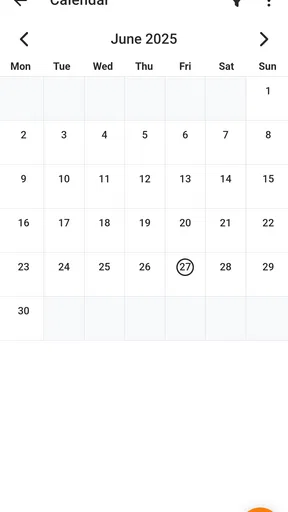
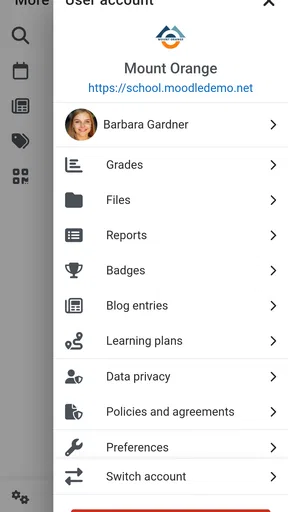
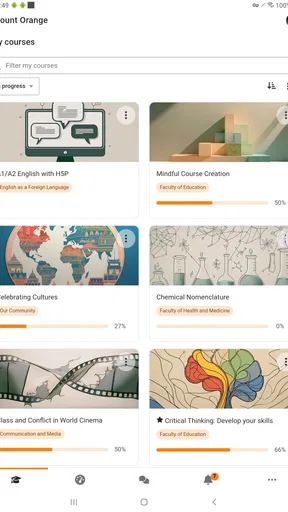
Our Review of Moodle
 Analysis by Appyee
I first looked at Moodle as a practical way to keep a course within reach when a laptop is not available. It is an education app from Moodle Pty Ltd. that connects to a school, university, workplace, or training provider’s Moodle learning system. That distinction matters: it is not a general lesson library, and it does not create a course for you. Its usefulness depends on the Moodle site your institution uses and on the access details supplied by that institution.
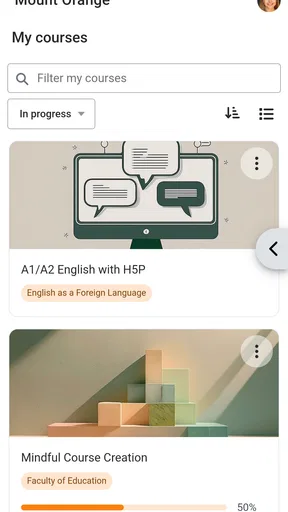
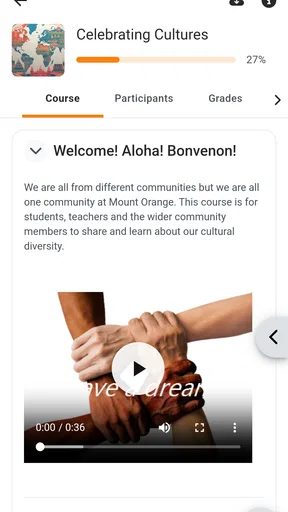
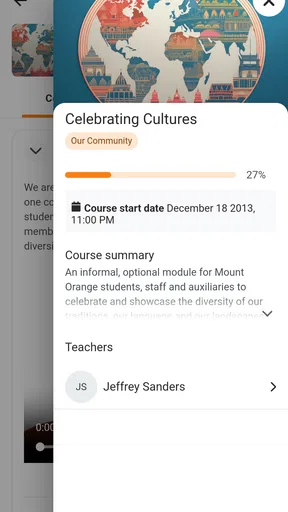
In my experience, the app makes the most sense for people who already have Moodle courses and want a more convenient mobile window into them. I can check course material, follow activity instructions, look at deadlines, and continue with selected work away from a desk. The free price removes an obvious barrier, and the Everyone age rating makes it suitable as a general education tool, although the actual course content and the way an account is used still depend on the school or organization behind it.
Using Moodle on a shared household device
A realistic household example is a student using a parent’s tablet in the evening. The student may need to open a reading, review an assignment instruction, or check what has been posted in a course before the next morning. In that situation, the app is more useful than waiting for a family computer, especially when the learner has already signed in to the correct Moodle site and knows which course area to open.
Shared-device use also exposes the app’s main boundary. Moodle is built around individual course access, not around a household profile that automatically separates everyone’s schoolwork. I would treat the device as a personal study space during a session: open the learner’s account, finish the task, sign out or switch away carefully, and avoid leaving course pages visible when another person is about to use the device.
That routine is not complicated, but it is important. A shared tablet can contain several people’s browsing history, saved passwords, notifications, and downloaded material. Moodle should not be treated as a family dashboard where one person can casually browse another person’s classes. The cleanest arrangement is one account per learner, with each person using their own institutional credentials and checking the account identity before starting work.
The app can be especially helpful when family members have different schedules. One learner can use the device for a short review session, then hand it over without needing a full computer setup. However, the convenience does not remove the need for coordination. If two people depend on the same device for live or time-sensitive work, the household still needs a simple agreement about when it is available and who is responsible for charging it.
What the first setup is really like
The first launch is not the same as opening a standalone learning app and choosing a subject from a catalog. Moodle connects to an existing learning management system. I would expect a new user to need the address or access route for the institution’s Moodle site, along with the login information used there. If a school or employer has customized its Moodle installation, the exact sign-in experience may feel different from another organization’s setup.
This is one of the most important things to explain to a less technical family member: installing the app does not automatically enroll anyone in a course. The institution must already provide the account and course access. If the site address is unclear, the right person to ask is usually the teacher, school office, training administrator, or workplace support contact, rather than trying random login details in the app.
Once the correct site and account are in place, I find the mobile format easier to understand when I think of it as a companion to the institution’s Moodle system. The app brings course activity into a phone or tablet, but it does not replace the institution’s rules, enrollment process, grading arrangements, or teacher instructions. That separation prevents a common misunderstanding: a problem with a course account may need help from the organization, not from the device itself.
On a shared device, I would set expectations before handing it to a child or another household member. They should know which account belongs to them, where to find their course, and what to do when a page asks for credentials again. I would also avoid assuming that every person can use the same account simply because they live in the same home. Course records belong to the learner, so mixing accounts can make it harder to tell who completed an activity or saw an instruction.
The app supports Android devices running at least Android 7.0, which covers many older phones and tablets still used around a home. That is useful for families that do not want to dedicate the newest device to schoolwork. Still, a compatible operating system is only the starting point. The institution’s Moodle configuration, the learner’s account, and the quality of the device’s connection all affect the actual experience.
Offline access is useful, but it needs planning
The most practical strength for everyday use is the ability to keep working with course material when a stable connection is not available. I would use that deliberately rather than assuming every part of a course behaves identically offline. Before leaving home, I would open the relevant course pages and make sure the material needed for the journey or study session has had time to become available on the device.
This creates a useful workflow for a student traveling on public transport. At home, the student can check the course, prepare the material, and then use the journey to read or review without relying on a continuous connection. When the device is online again, I would return to Moodle and check that any work requiring a connection has completed properly. Offline access is a convenience, not a reason to skip that final check.
There is a trade-off here. A downloaded or previously opened resource can remain useful away from Wi-Fi, but current course changes may not be visible until the app reconnects. If a teacher changes an instruction after the learner has prepared material, the offline copy may not reflect that change. For anything with a firm deadline or a recently updated instruction, I would make a quick online check before submitting or acting on it.
I also would not use offline availability as proof that every activity can be completed without a network. Reading a document and completing a connected activity are different situations. The safest approach is to prepare readings and reference material offline, then reserve a short connected window for actions that need to communicate with the Moodle site.
Keeping household responsibilities separate from course work
Moodle can help a household coordinate indirectly because course information is in one place for each learner, but it is not a family planner. I would not expect it to organize shared chores, remind parents about every academic responsibility, or combine several people’s course schedules into a household view. A parent may still need to agree with a student on when to study, when to share the device, and how to report a technical problem.
A simple routine works better than constant supervision. The learner can check the app at a regular study time, identify the next task, and tell the household if a longer session is needed. If the device is shared, the person finishing first should close the course area and return the device in a known state. That small habit reduces accidental account mixing and makes the next session less frustrating.
For older students or adult learners, I would give them more responsibility for checking updates and managing their own access. For younger learners, a parent may reasonably help with the initial setup and with recognizing the correct course. The app itself does not turn those arrangements into formal family controls, so the household has to decide how much assistance is appropriate.
Another useful boundary is separating academic communication from family communication. A learner may see course messages or activity instructions inside Moodle, but that does not mean every family member should answer on the learner’s behalf. I prefer using the app to understand what needs to be done, then letting the learner complete the work and communicate with the institution through the channel the institution expects.
Age, trust, and account responsibility
The Everyone rating is reassuring for a general education application, but it should not be confused with a guarantee about every course a person may access. Moodle hosts or connects to courses created by schools, universities, businesses, and other organizations. The age suitability of a particular lesson, discussion, file, or assignment can therefore depend on the institution and the subject.
In a household with a younger learner, I would focus on trust and account boundaries rather than trying to make the app do parental supervision. The child should know that their login is personal, that course work should be completed under their own identity, and that unusual requests for credentials should be shown to a trusted adult or institution contact. Those are sensible habits for any learning system, and they matter more on a shared device.
For a teenager, the app can be a good step toward independent study because the course material is available without needing a parent to open a desktop computer. At the same time, independence works best when the learner understands how to distinguish a course instruction from a household message and knows whom to contact when access fails. Installing the app is easy; managing the account responsibly is the more valuable skill.
Adult learners may appreciate the same separation in a different way. A person studying for work can check a course on a personal phone without placing their training account on a family computer. If they do use a shared tablet, I would still keep their session clearly separate and avoid saving credentials where another person can reach them.
How it compares with ordinary alternatives
Compared with opening Moodle in a mobile browser, the dedicated app feels more focused for repeated course checks. A browser is perfectly reasonable when someone only visits a course occasionally or needs to use several different learning systems in one place. The app becomes more attractive when Moodle is part of a daily routine and offline preparation matters.
Compared with a general note-taking app, Moodle has the advantage of staying connected to the institution’s course structure. Notes made elsewhere can be useful, but they do not automatically represent the current course activity or the teacher’s organization. I would use a note app for personal summaries and Moodle for the official course material, instructions, and activities.
Compared with a video-learning subscription or a broad educational catalog, Moodle is less independent. It does not aim to provide a universal collection of lessons that anyone can browse after installation. Its strength is belonging to a specific learning environment. If someone wants casual learning without an existing school or training account, a standalone education service may be a better fit.
Compared with a desktop browser, the phone or tablet experience is more convenient for short checks but can be less comfortable for long writing sessions. I would use the app to read, review, prepare, and monitor course activity, then move to a larger screen when an assignment demands extended typing or careful document work. That is not a failure of the app; it is a sensible division between mobile access and full study.
Small habits that make the app more dependable
My first tip is to prepare before going offline. Open the exact course and material needed, not just the app’s home screen, and reconnect later to confirm that anything requiring submission or synchronization has completed. This avoids the false confidence that comes from seeing a resource on the device and assuming the entire task has been recorded.
My second tip is to check the course context before acting. Moodle can bring several courses together, and on a shared device it is easy to open the wrong one if a learner is moving quickly. I would read the course name and activity title before downloading, replying, or submitting anything. That brief pause is particularly valuable for students enrolled in several subjects.
My third tip is to create a handover routine for shared devices. The outgoing user should finish the activity, return to a neutral screen, and sign out or otherwise leave the account in a safe state according to the household’s normal practice. The next user should confirm their own identity before beginning. This is more reliable than trusting everyone to remember which account was active.
My fourth tip is to use a connected check for changing instructions. Offline material is convenient for reading, but a course page may have been updated since it was last opened. Before a deadline, I would reconnect, review the current wording, and only then complete the final step. That workflow balances convenience with accuracy.
Finally, I would keep the institution’s support route available. If the app opens but a course is missing, the issue may be enrollment or account access rather than the installation. If a resource behaves unexpectedly, the teacher or Moodle administrator may be able to explain the course configuration. Knowing this prevents wasted time repeatedly reinstalling an app when the real answer sits with the organization.
Who will appreciate it, and who should skip it
I recommend Moodle to learners who already use a Moodle learning site and want mobile access between classes, during travel, or at home. It is also a sensible choice for households sharing a device, provided each learner keeps a separate account and the family agrees on a basic handover routine. The free cost and broad compatibility make it easy to try without committing to a paid learning service.
I would be more cautious about recommending it to someone looking for lessons without an institution. A person who wants self-guided language practice, general video courses, or a ready-made curriculum may find a dedicated learning platform more welcoming. Moodle’s value begins when there is a real course environment to connect to; without one, the app can seem empty or confusing.
It may also be the wrong primary tool for assignments involving extensive writing, complex file handling, or long study sessions. I like the mobile access for checking and preparing, but I would choose a computer when precision and screen space matter. The best experience is often a combination: Moodle on the phone for access and awareness, and a larger device for demanding production work.
My household verdict
After using it as a mobile doorway into course work, I see Moodle as a dependable companion rather than a complete education service. It respects the structure of an existing Moodle learning environment, makes short study sessions easier, and can be genuinely helpful when a learner needs material away from a desk. Its strongest household use is controlled sharing: one device, separate accounts, clear handovers, and realistic expectations about what can be done offline.
The app has been available since March 6, 2013, and the current version is 5.2.1. Its long presence is reflected in a 4.5 average from around 210 thousand ratings, while more than 10 million installs show that it is used well beyond a single type of institution. Those figures suggest a mature, widely used tool, but they do not remove the need to judge the particular Moodle site and course setup a learner will use.
My practical recommendation is simple: install it when your school, university, or training provider already relies on Moodle, then test one course both online and with prepared material offline. If the account boundaries are clear and the mobile workflow fits the learner’s routine, it can save repeated trips to a computer. If there is no existing Moodle account, or if the goal is a self-contained learning catalog, I would choose a different kind of education app instead.
For a free education app from Moodle Pty Ltd., Moodle earns its place through access rather than spectacle. I would trust it for checking course information, reading prepared material, and keeping study moving around a busy household. I would not treat it as a replacement for institutional support, a family-control system, or a full desktop workstation. Used within those boundaries, it is a practical tool that makes an existing course easier to carry from one place to another.
Verdict
Strengths of Moodle
- Free and open-source learning platform with no subscription required.
- Supports offline access to downloaded course content and activities.
- Works with many Moodle-based schools, universities, and training providers.
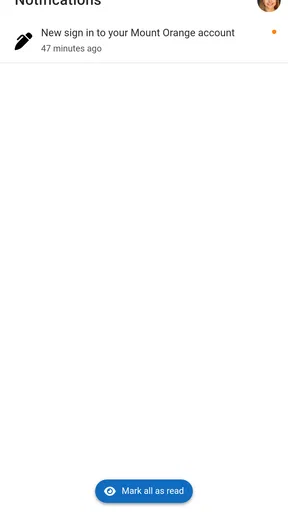
- Offers notifications for deadlines, announcements, and new course materials.
- Includes accessibility features and support for multiple languages.
Limitations of Moodle
- The app is useful only when your institution provides a Moodle site.
- Some activities work better in a browser than in the mobile app.
- Interface quality can vary depending on the Moodle site configuration.
- Video lessons may consume significant storage and mobile data.
- Certain advanced features require plugins that may not support mobile access.
Similar Picks in This Category
View All
Duolingo: Language Lessons
Duolingo4.7

Google Classroom
Google LLC2.8

Unacademy: Learn & Crack Exams
Unacademy3.2

Bible App for Kids
Life.Church4.4

Cake - Learn English & Korean
Cake Corp.4.7

Brainly: AI Homework Helper
Brainly4.5
Frequently Asked Questions
What is Moodle, and what can I use it for?
Moodle is a learning management system used by schools, universities, businesses, and independent instructors to organize online courses. Through the mobile app, you can access course materials, read announcements, submit assignments, complete quizzes, participate in forums, and review grades. The exact features available depend on how your institution or course administrator has configured Moodle.
Do I need a Moodle account or a special website address to use the app?
Yes. Installing the Moodle app alone usually is not enough to access a course. You generally need an account provided by your school, university, employer, or course provider, along with the correct Moodle site address. Some organizations may require additional login steps, such as institutional authentication or a verification code, so you should obtain the connection details before downloading the app.
Can Moodle be used without an internet connection?
Moodle supports limited offline access, but it is not a complete substitute for an internet connection. Depending on the site settings, you may be able to download course files, review certain activities, and prepare some work while offline. Changes such as quiz attempts, forum posts, or assignment submissions may need to be synchronized later, and some activities will not work offline at all.
Does the Moodle app support assignments, quizzes, notifications, and video lessons?
The app can support many common learning activities, including viewing documents, submitting assignments, attempting quizzes, reading forum discussions, receiving notifications, and accessing media. However, the experience varies between courses. Teachers or administrators may disable mobile access, restrict downloads, or use third-party tools that open in a browser. It is worth checking your institution’s setup before relying on every feature.
Is Moodle free to download, and are there any privacy or security concerns?
The official Moodle app is generally free to download, but access to courses may depend on your school, employer, or course provider, and some organizations may use paid Moodle hosting or services. Your account can contain personal information, grades, messages, and submitted work. Use the official app, verify the Moodle site address, protect your password, and avoid saving sensitive data on shared devices.
